
Blursy · Chrome extension
Redact a screenshot before you share it.
Blursy captures the tab you are on, then blurs, redacts, crops and labels the image on your own machine. Nothing is ever uploaded.
Live on the Chrome Web Store Free core, forever Pro is $12 once
How it works
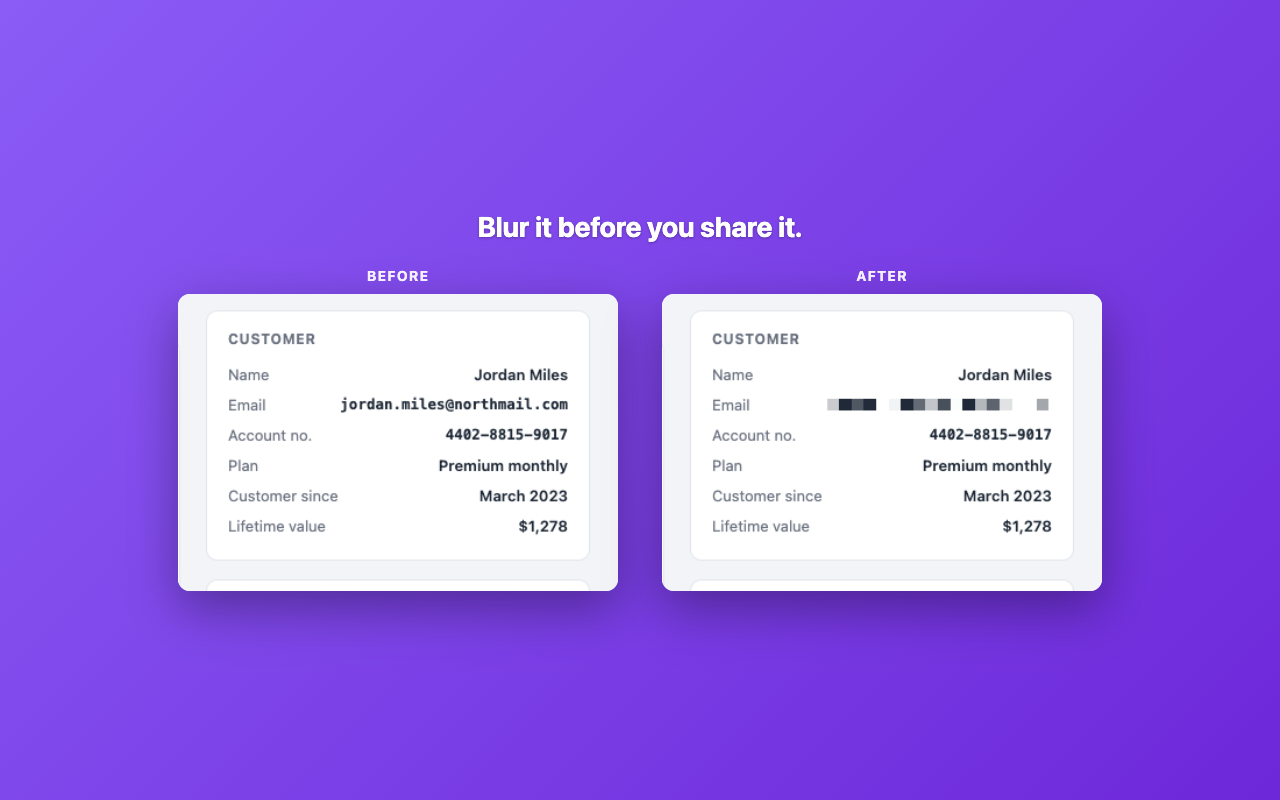
You are about to paste a screenshot into a ticket, a doc or a group chat, and there is an email address, an account number or somebody's full name sitting right in the middle of it. The usual answer is to open an image editor you do not want to open, or to send it anyway.
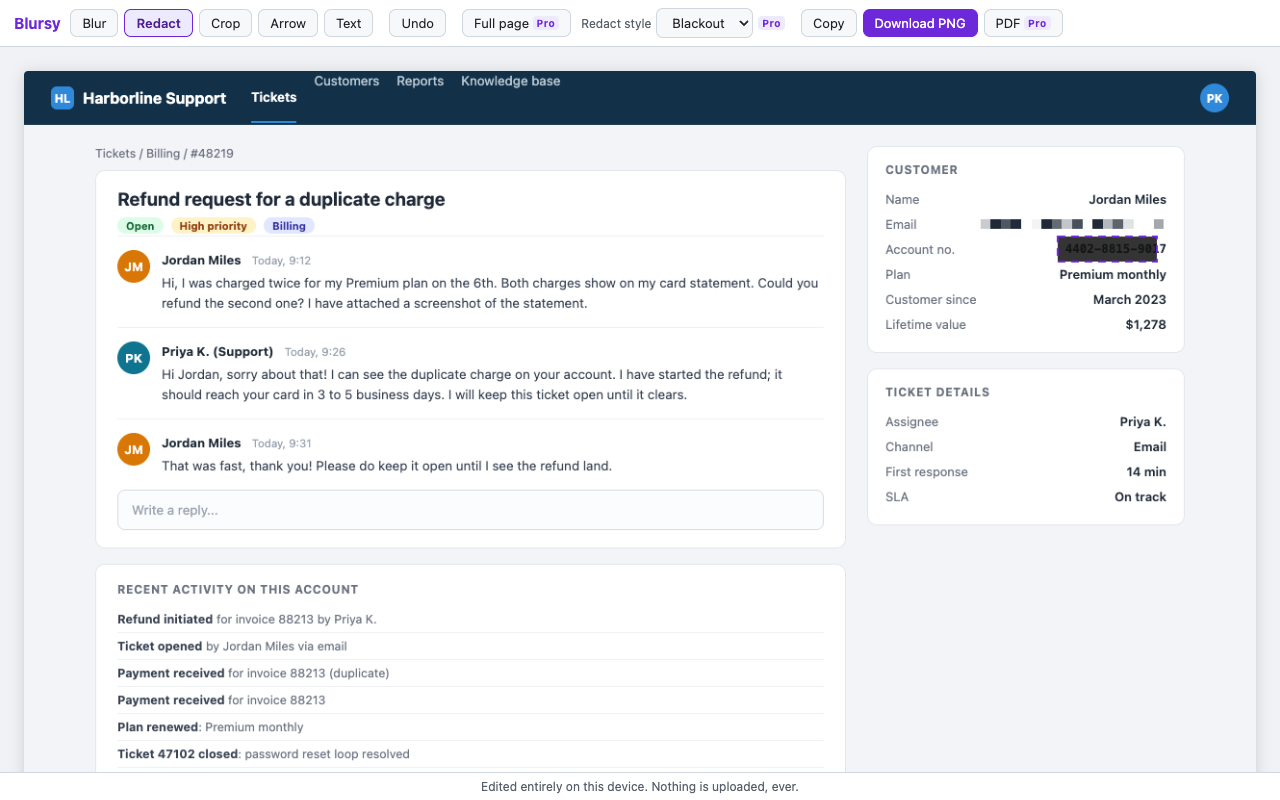
Click the Blursy icon instead. It captures the tab you are on and drops the image straight into an editor. Drag over anything sensitive with Blur and those pixels are replaced with a coarse mosaic. Prefer something absolute, use Redact and get a solid bar. Crop away the parts nobody needs, add an arrow and a text label to explain what is left, and undo anything you regret.
When it looks right, download it as a PNG or copy it straight to the clipboard and paste it where it was going. The whole loop takes about as long as taking the screenshot did.
- One click captures the tab you are on
- Blur to pixelate, redact for a solid bar
- Crop, arrows and text labels
- Undo anything
- Download as PNG or copy to the clipboard
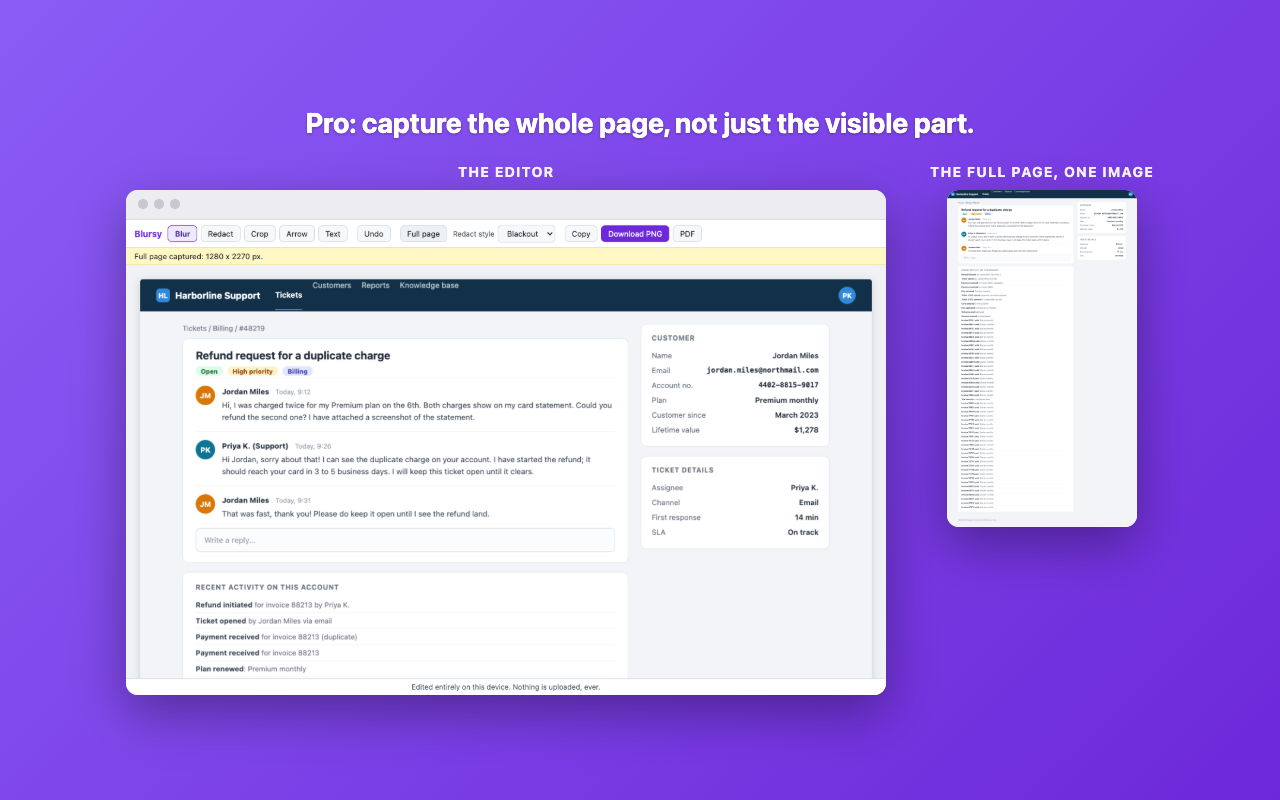
Pro is for the longer jobs: full page capture that scrolls a whole page and stitches it into one tall image, your choice of blackout or pixelate as the redaction style, and export to PDF.
Built for support agents, teachers, accountants, and anyone who shares screenshots of screens that hold other people's information.
The image never leaves your device
Blursy captures only when you click its icon, and only the tab you clicked it on. It has no access to any other tab, and no access at any other time. The image is handed to the editor and every edit happens in a canvas on your own machine.
There is no server, no account and no analytics. Blursy never uploads, transmits or collects your screenshots. The only network request it can make is an optional license check if you buy Pro.
Pricing
- Free
- Forever. Capture, blur, redact, crop, arrows, text, undo, PNG download and clipboard copy.
- Pro
- Full page capture, choice of redaction style, and PDF export. $12 once, no subscription.
Questions
How do I redact a screenshot?
Click the Blursy icon on the page you want, pick Redact in the editor, and drag a bar over anything that must not be readable. The bar is opaque and is drawn into the image itself, so what it covers is gone from the file you save.
How do I blur part of a screenshot?
Pick Blur instead and drag over the area. Blursy pixelates that region rather than softening it, which is the difference between hiding text and merely making it awkward to read.
Can a blurred screenshot be unblurred?
Blursy rewrites the pixels rather than laying a filter over them, so the original detail is not sitting underneath in the file you export. For anything where being wrong would be expensive, use Redact and its solid bar, which removes the question entirely.
Does Blursy upload my screenshots?
No. Capture and editing both happen in your browser, on your computer. There is nowhere for the image to go, because the extension has no server behind it.