
Foldsy · Chrome extension
Folders for your ChatGPT chats.
Foldsy adds folders, a saved prompt library and one search box to ChatGPT, Claude and Gemini. Everything stays on your device.
Live on the Chrome Web Store Free for 3 folders and 10 prompts Pro is $29 once
How it works
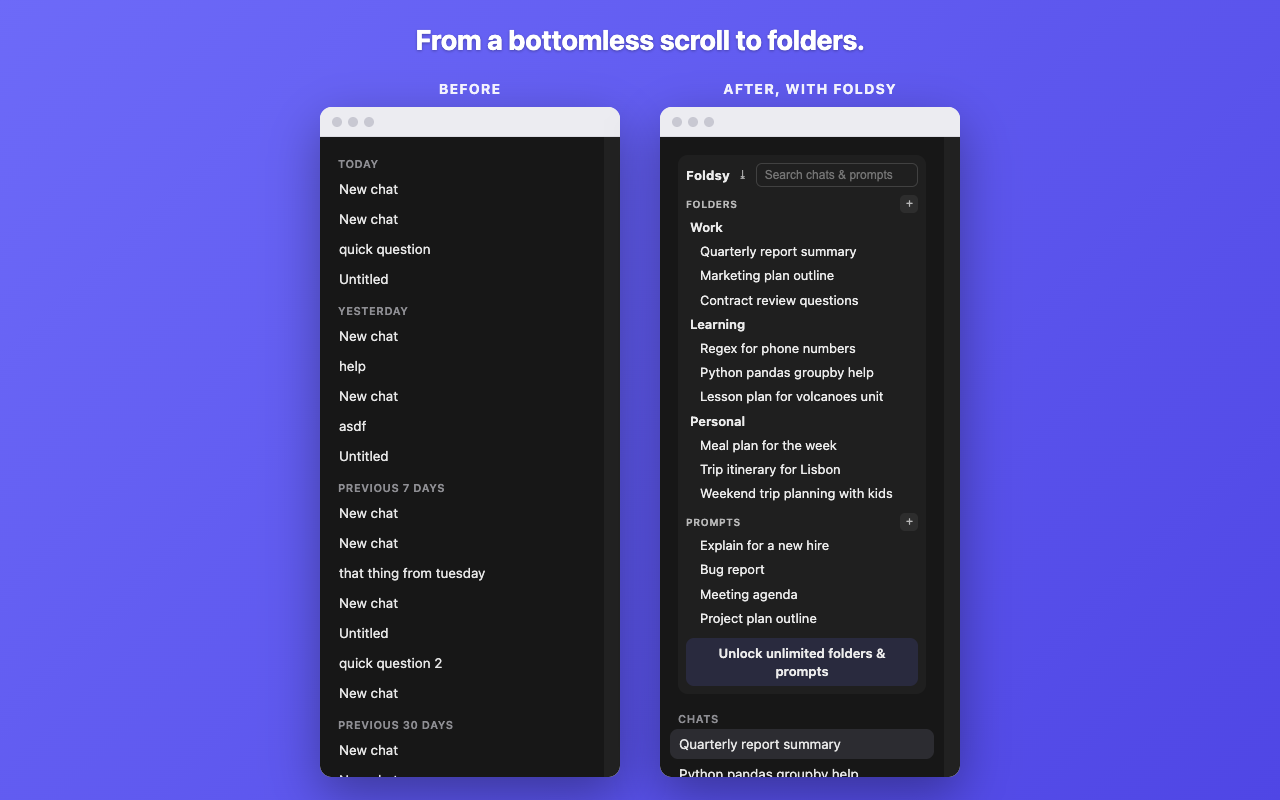
Chat history in every AI tool is one long scroll. A hundred conversations called New chat, and the one you actually need is somewhere in the middle of last Tuesday. ChatGPT has no folders of its own, so there is nothing to file anything into.
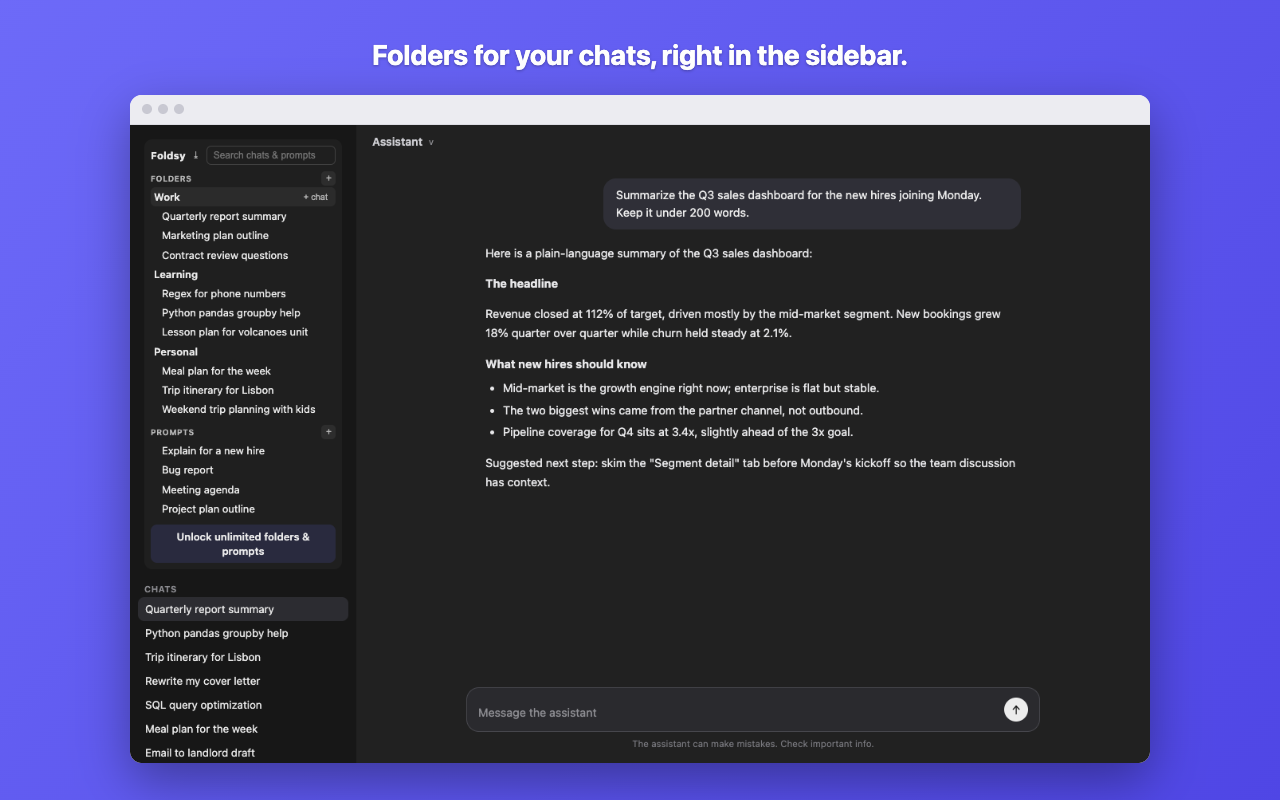
Foldsy puts a panel at the top of the sidebar you already use. Make a folder, file a conversation into it from the sidebar, and it stays there. The folders sit above the chat list, which is the small difference that makes them useful: you see your own structure before you see the scroll.
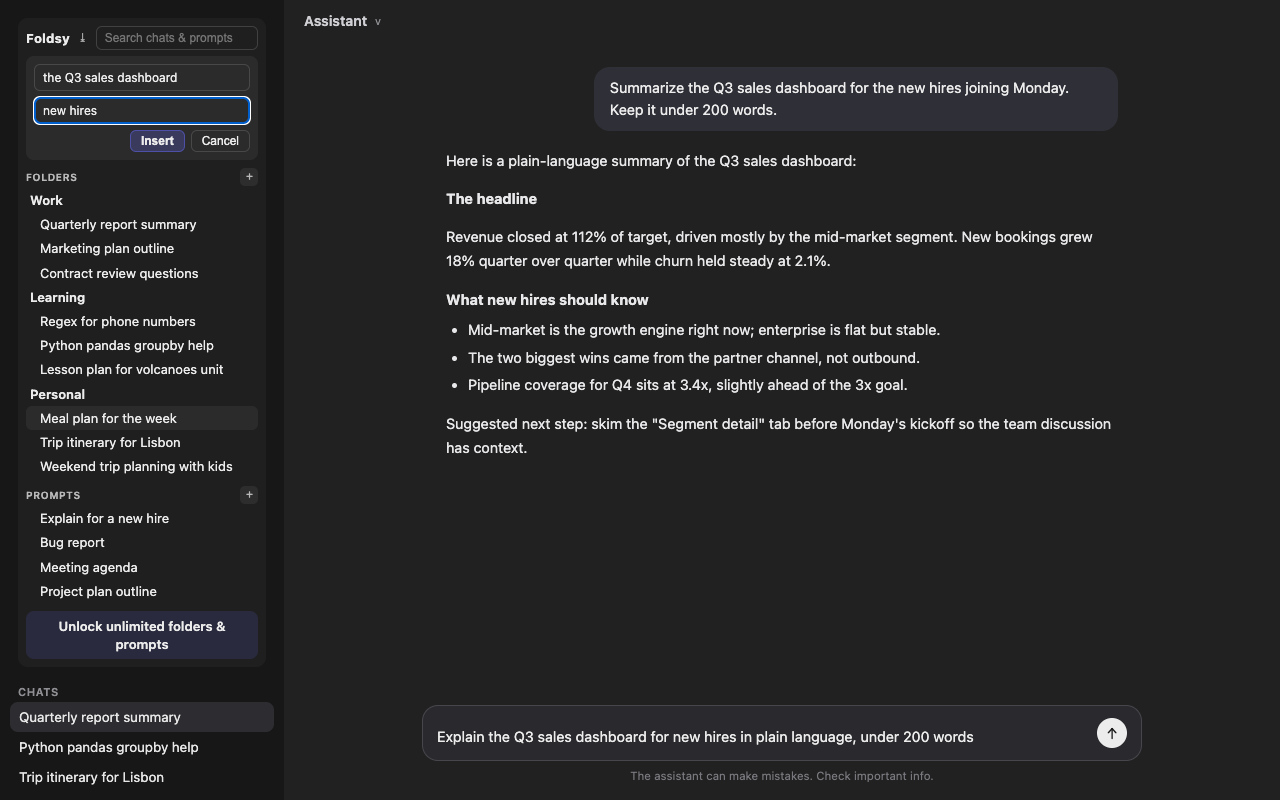
The prompt library is the other half. Save a prompt once and drop it into the composer with one click. Prompts can carry variables, so you can write Summarize {{topic}} for {{audience}} and Foldsy asks for the blanks as it inserts. One saved prompt then covers a dozen uses instead of one.
Search runs across both at once. Type, and Foldsy looks through your conversation titles and your saved prompts together, on every supported site. Any conversation can also be exported to Markdown when you would rather it lived in your notes than in a browser tab.
- Folders you create, filled from the sidebar
- Saved prompts with {{variables}} filled in on insert
- One search box across chats and prompts, on every supported site
- Export any conversation to Markdown
Foldsy works on chatgpt.com, claude.ai and gemini.google.com. It is an independent tool and is not affiliated with or endorsed by OpenAI, Anthropic or Google.
Everything stays on your device
Foldsy has no server. To organize and find your chats it reads exactly two things from the supported sites: the titles of your conversations and their addresses. Your folders, your saved prompts and that index are stored in your browser's local storage, on your machine.
There is no account, no sync, no analytics, and nothing is transmitted anywhere. The only network request the extension can make is an optional license check if you buy Pro.
Pricing
- Free
- Forever. 3 folders and 10 saved prompts, with search and export included.
- Pro
- Unlimited folders and prompts. $29 once, or $3 a month if you would rather.
Questions
Can you make folders in ChatGPT?
Not on your own. ChatGPT groups history by date and nothing else, so folders have to come from an extension. Foldsy adds them to the sidebar you already have, and the folders survive reloads and new sessions because they live in your browser.
How do I organize my ChatGPT chats?
Install Foldsy, make a few folders that match how you actually work, then file conversations into them from the sidebar as you go. Anything you have not filed stays in the normal chat list underneath, and search covers both.
Does it work with Claude and Gemini too?
Yes. The same folders panel and prompt library run on chatgpt.com, claude.ai and gemini.google.com, and one search covers all three at once.
Does Foldsy read my conversations?
No. It reads conversation titles and addresses, which is what it needs to file and find them, and it never reads the messages inside. Nothing it reads leaves your device.