
Sticksy · Chrome extension
Sticky notes for websites, kept on your computer.
Sticksy pins a note to any web page and shows it again when you come back. Private web notes: no account, no sync, no cloud.
Live on the Chrome Web Store Free for 10 notes Pro is $12 once
How it works
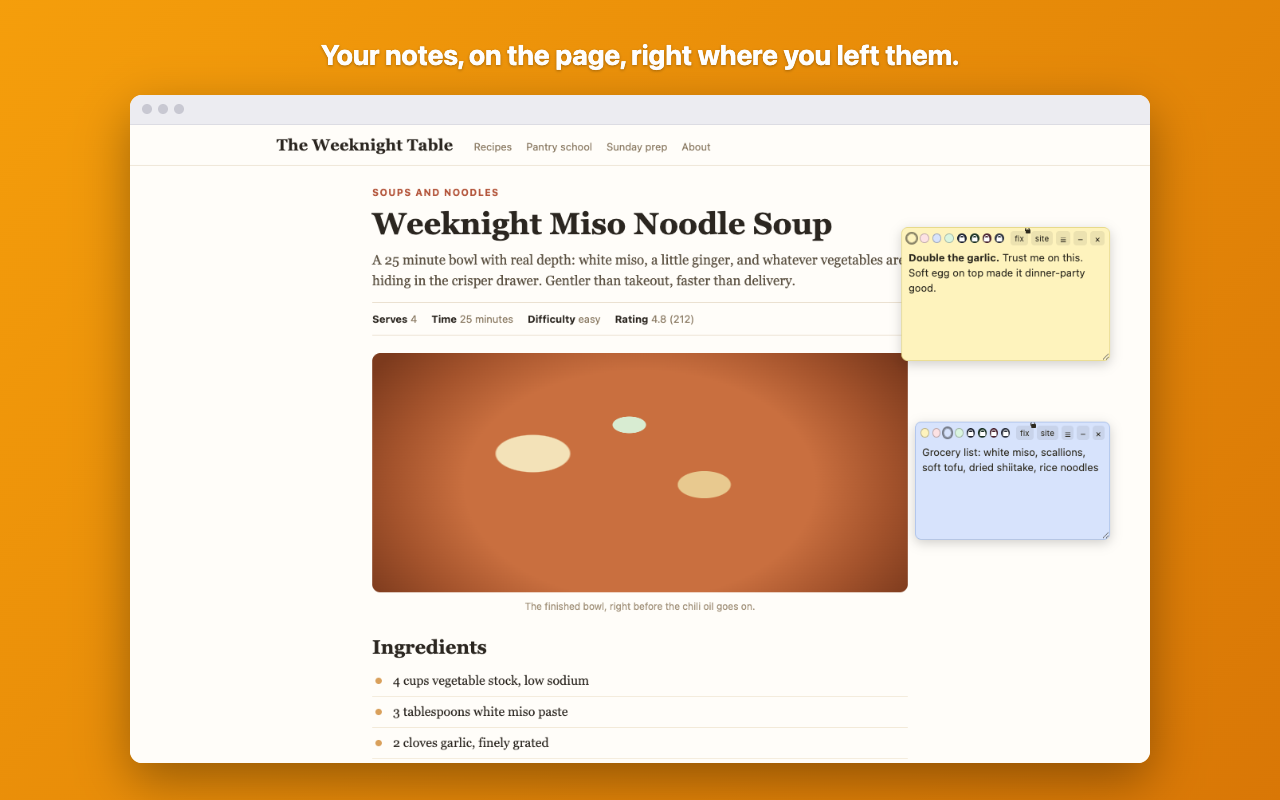
Click the toolbar icon, or press Alt+Shift+S, and a note appears on the page you are reading. Type into it. That is the entire setup, and there is no account to make first. Come back tomorrow, next week or next year and the note is still there, in the same spot on the same page.
Drag notes wherever they belong, resize them, pick one of four pastel colors, or minimize a note to a dot while you read around it. Simple formatting works the way you would expect: **bold**, *italic* and [links](url) render as you type them. Each note is either pinned to that exact page or shown across the whole site, and that is a choice you make per note.
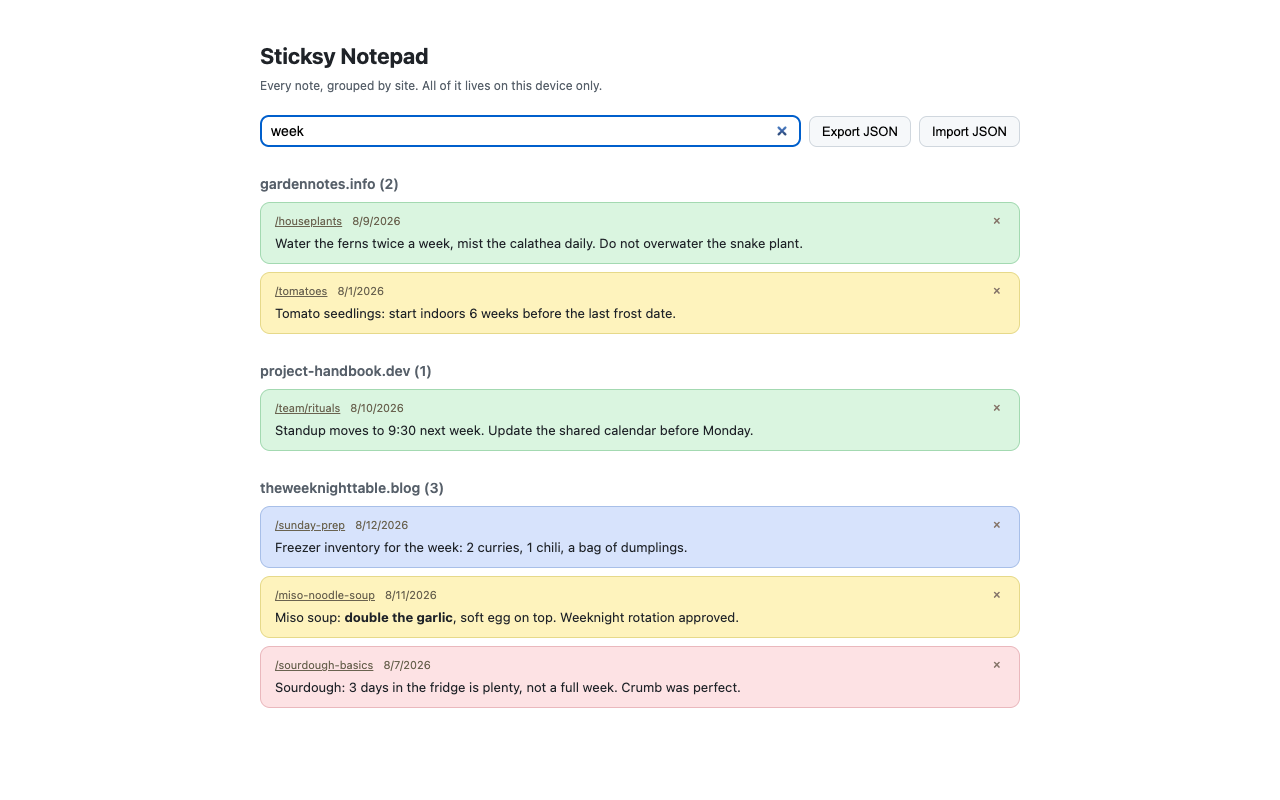
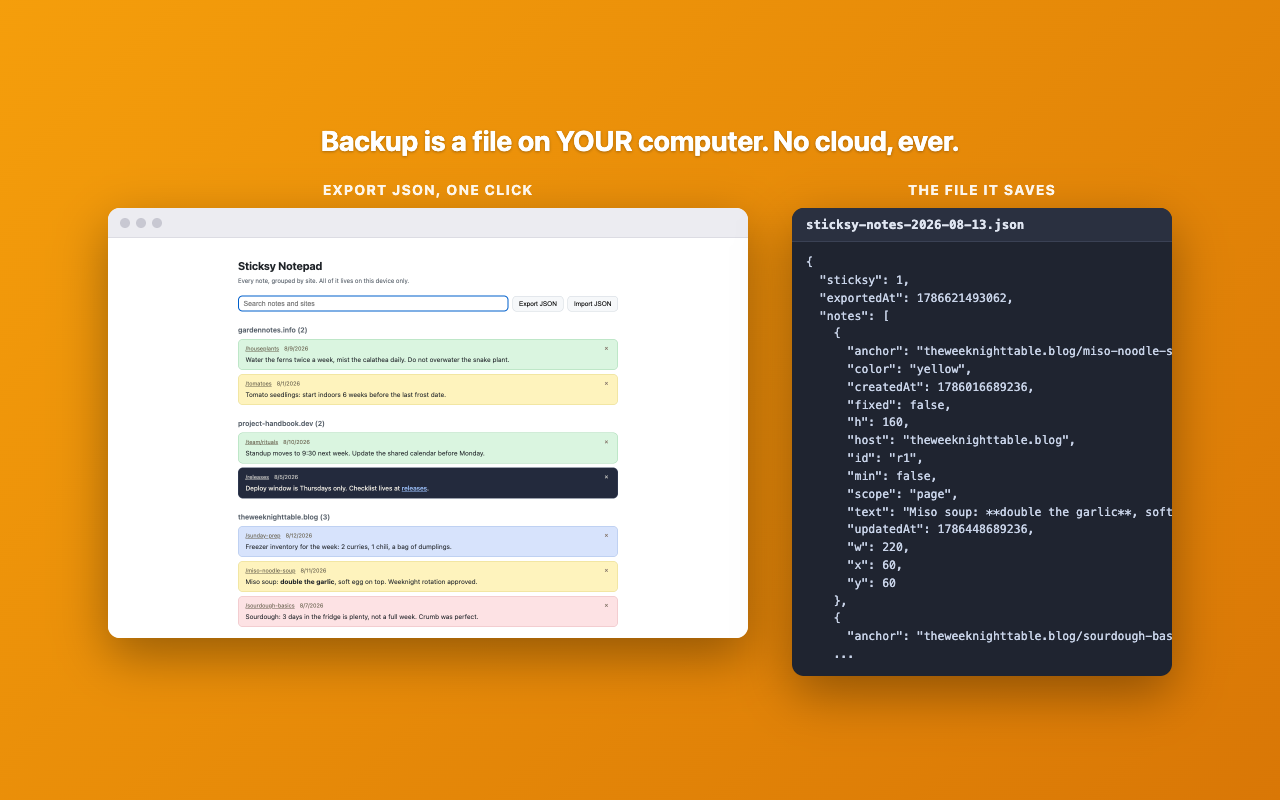
The Notepad is the other half. It lists every note you have written across every site, grouped by domain, with one search box over the lot. It is also where backup lives: export everything to a JSON file, then import that file on another machine when you want your notes to move with you.
- A note on any page, from the toolbar or Alt+Shift+S
- Drag, resize, 4 pastel colors, minimize to a dot
- Bold, italic and links in note text
- Pin a note to one page or show it across the whole site
- A searchable Notepad of every note, grouped by site
- Export and import your notes as a JSON file
Pro lifts the note limit and adds four darker themes, midnight, forest, rose and slate, whose note text switches between light and dark so it stays readable. It also adds per note screen pinning, which flips a note from page anchored to staying on screen while you scroll.
Your notes never leave your computer
Sticksy is offline by design. To show your notes on the pages they belong to, it reads exactly one thing from each page you visit: the address. It compares that against your own notes in local storage and displays whatever matches. It reads no page content, no forms and no keystrokes, and it keeps no record of the addresses it checked and found nothing for.
There is no server, no account, no sync and no analytics. Backup is a JSON file you export yourself, saved wherever you choose. If you want a notes tool the cloud never sees, this is it.
Pricing
- Free
- Forever. 10 notes, all 4 pastel colors, the Notepad, and export and import.
- Pro
- Unlimited notes, 4 extra themes, and per note screen pinning. $12 once, no subscription.
Questions
How do I add sticky notes to a website?
Install Sticksy, open the page you want, and click the toolbar icon or press Alt+Shift+S. A note appears on the page, ready to type into. Drag it where it makes sense and it stays there.
Will the note still be there when I come back?
Yes. Notes are saved against the page address, so revisiting the page brings them back in the same position. If you would rather a note followed you around a whole site, switch it from page to site scope.
Are my web notes private?
They are stored only in your browser's local storage, on your machine. Sticksy has no server to send them to and no analytics watching you write them, and the only thing it reads from a page is the address it needs to match your notes against.
Do my notes sync between computers?
No, and that is the deliberate trade. Sync would mean your notes passing through somebody's server. Instead you export a JSON file and import it on the other machine, which keeps the copying in your hands.